


Let’s do this again, redux! I’ll explain how to use AI agents for easy language learning, to create an easier version of my morning briefing, and finally, a far easier version of my briefing transcription -> summary -> action pipeline. In the process, my goal is to help readers remix the general principles for their own (mostly safe) agents.
My last piece about AI agents was my most popular and widely shared article to date. Usually, one writes a “Part 1” that’s easier and a “Part 2” that’s more complex. This is the exact opposite.
I realized there was a problem with the last piece.
“Where do I enter the matrix?” (meaning the command line…)
“Where do I download Claude Code?” (... a more complicated task than you’d think, especially on Windows)
“What’s a Tron job?” (Cron job…)
More technically inclined readers absolutely took it and ran with it. But others saw it as aspirational at best, with no ability to operationalize what I wrote about. Scheduled jobs, auto-processing pipelines, and all of the fancy features of my agents are great but do come with a lot of prerequisites.
I might be ok with that—as said, I have complete faith that companies will come along and make these agentic workflows available to “regular people.” Unfortunately, as one of my more technically proficient readers commented:
“You hilariously did a PSA—’don’t do drugs, because they feel so, so good.”
And that was right, because in a few chats, I noticed this was the push some people needed to go take the risk with OpenClaw. After all, they realized how useful agents really are—and decided it was too hard to do it the way I explained... which is the exact opposite of what I intended.
So, in this revisit, I have these goals:
Explain the general principles of creating agents (more slowly)
Use methods that are more accessible to non-technical users.
Give a framework for remixing these methods for readers’ own ideas/agents.
Ironically, this piece took longer than my last one. Instead of just sharing my workflows, this piece is designed to let you use these agents with step-by-step instructions, from scratch, and have them adapted to you (not me).
Language-Learning Chat
Let’s explain instructions and context. To do so, let’s talk about a specific “agent”—with the term used loosely here—I utilize on a daily basis.
Giving Instructions and Context: Utilizing Projects
The first major element of agents is the right context.
All of the major LLM platforms have some kind of functionality to create standing instructions. If you noticed from my last piece, I talked about utilizing CLAUDE.md files. These are used by Claude Code specifically to encode instructions the AI agent will always read. We can do the same thing without Claude Code and without leaving the Claude or ChatGPT app using Projects.
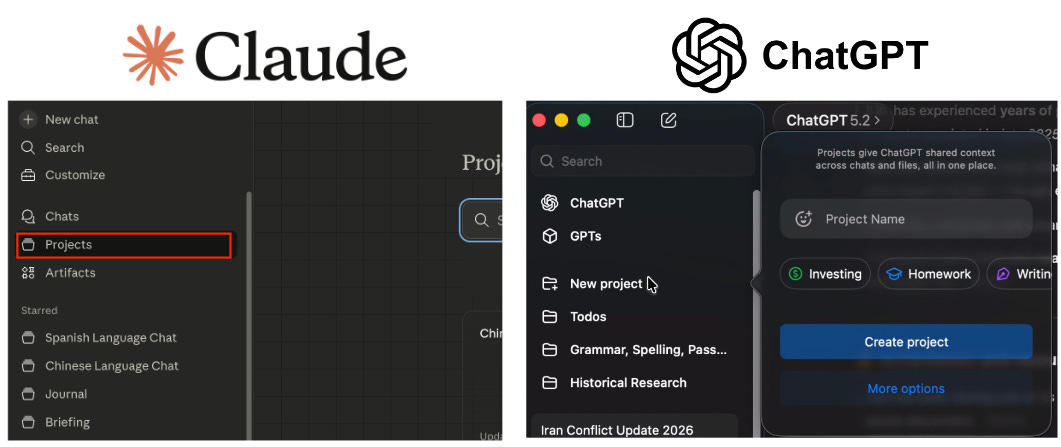
Why is this useful? Well, for one, it prevents you from needing to retype instructions constantly. This is nice when you have short instructions but is essential if you have extensive ones.
Additionally, if you have a complicated pipeline (hint-hint, later examples), you absolutely either need to do something like this—the agent needs to know what tools to use, how to use them, and what it should do without you writing a huge amount of information each time.
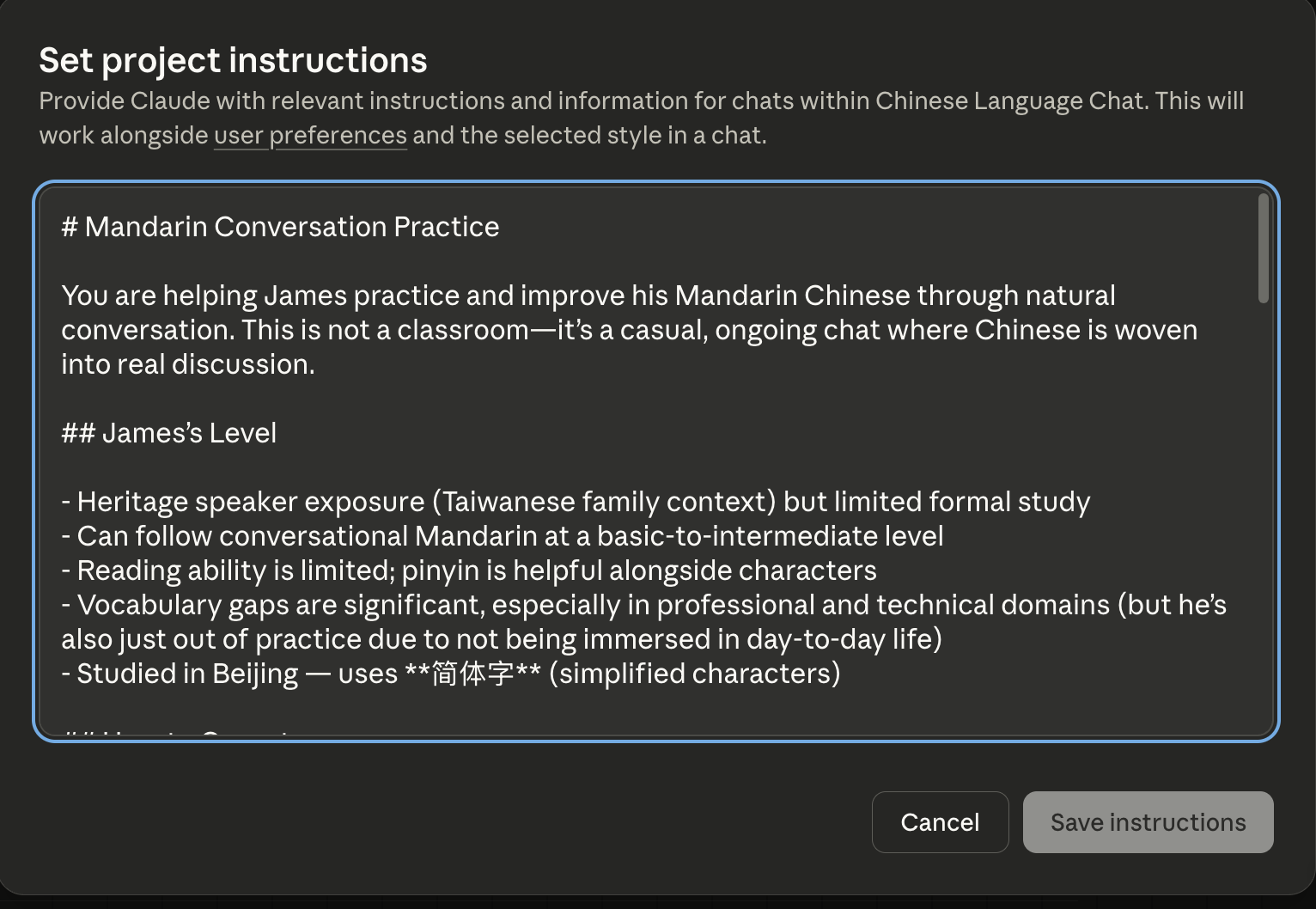
Beyond that, this approach lets you iterate on the instructions, which is crucial to actually making useful agents.
Learning Chinese and Spanish with Normal Chats
Nowadays, it’s quite possible to forgo using Google for most tasks. LLMs have gotten good enough at searching and synthesizing information that there’s much less utility in sifting through websites/social media yourself (besides that, Google shoves Gemini on top of every search anyway...).
Why not use that kind of random query to painlessly strengthen your foreign language skills?
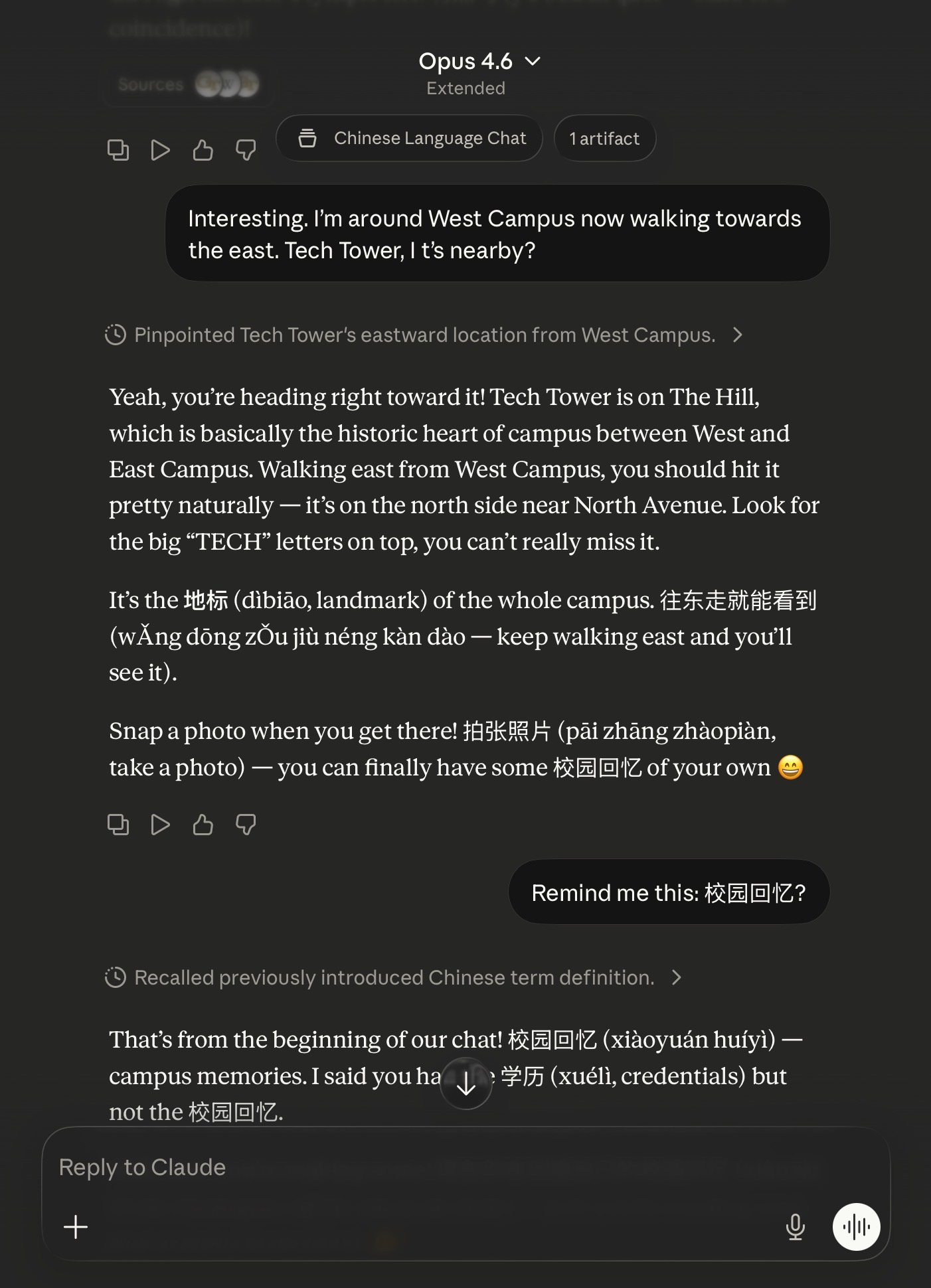
As seen above, I was at Georgia Tech recently for my book tour. I was wandering around campus and having a casual chat about landmarks to look at. Instead of simply opening a “normal chat,” I used my Project called “Chinese Language Chat” (you can see the beginning of the instructions above). This has standing instructions to utilize Chinese language terms with pinyin (the “romanized” letters you see) and explain the meaning.
When I have time, I can read and even dig into the vocabulary. When I don’t, it’s pretty harmless to simply ignore the Chinese terms and skim the rest.
Constant Iteration
The beauty of having standing instructions is you can see how they perform over time. What if there are things you don’t like? Well, you can change it. Even better, the AI can change it for you.
My Chinese is... reasonable. My Spanish is worse. However, I found that the adapted version of my Chinese language chat in Spanish (accounting for my level) was too easy. Or rather, it gave single words that were too short and without context to really be of use. So, I asked to have it changed.
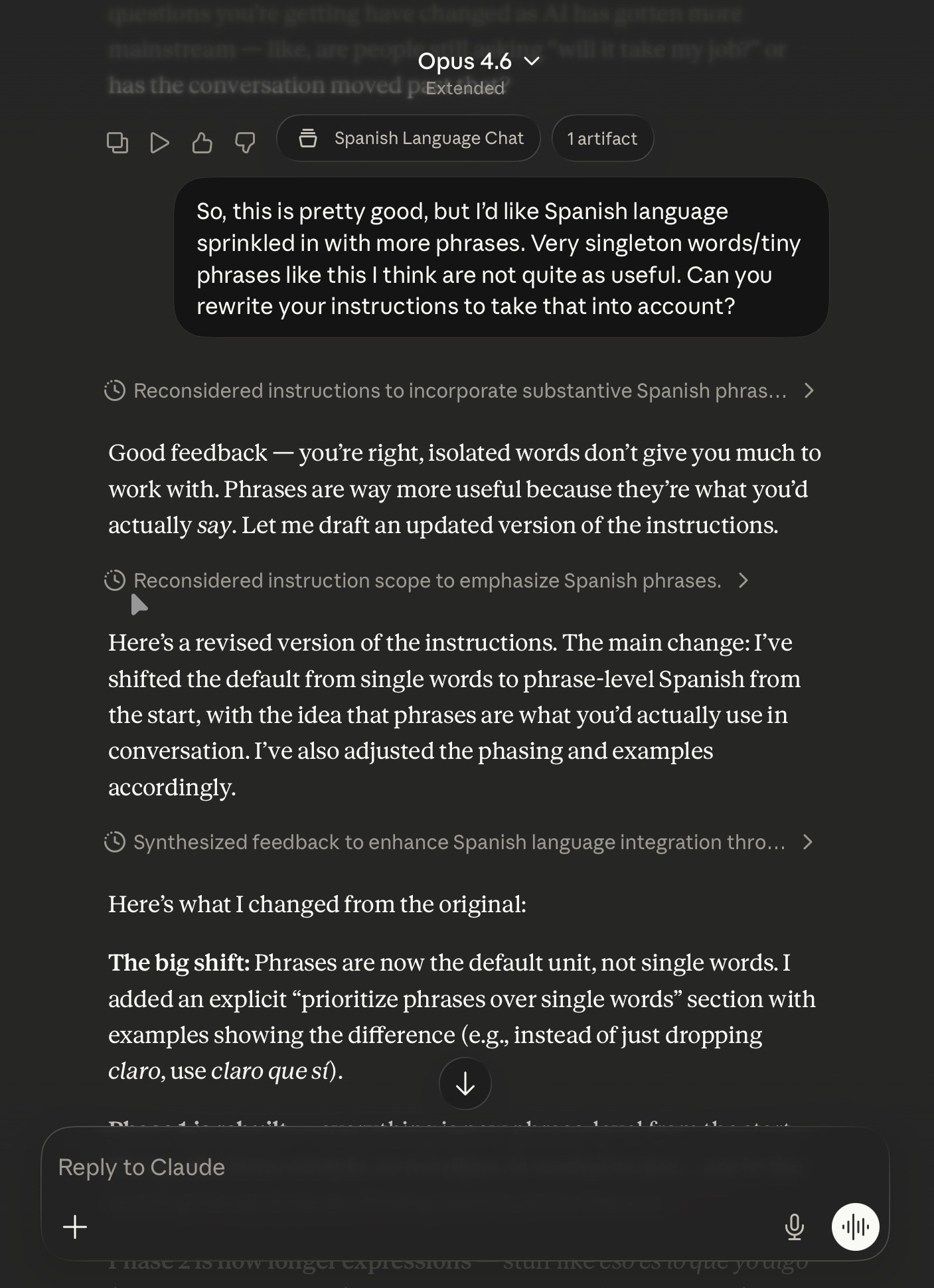
I had Claude (in this case) reread its Project instructions and make edits. With those edits, it became much more useful (for me).
Just to clarify: you WILL need to copy and paste the updates instructions into Instructions manually. This doesn’t update it automatically.
Adapting This For Yourself
I’ve added my instructions to this git repo under For_Regular_People/.
But there's no need to do any editing yourself. You can ask for it to be adapted by your chat agent! Copy and paste the below directly into your favorite LLM chat, and it should help you customize it:
Please view this set of instructions at https://raw.githubusercontent.com/j-wang/how-i-utilize-ai-agents-article/refs/heads/main/For_Regular_People/Chinese_Language_Prompt.md and help me adapt it for my use case. Ask me questions about what language I want to learn, my proficiency level, the context of my learning, and anything else that is required to fully adapt these to me.
Then, once it does:
Create a new Project
Name it, fill in the other info, etc. I’d also suggest you star/favorite it.
Fill in the instructions
Two gotchas for Claude to point out. 1) In Claude, the Description that you fill out on the same dialog box as the name is not the Instructions. 2) You may need to restart your app or refresh claude.ai in order to see the Project in your starred list.
Note: You can always write instructions yourself. In fact, Logan Thorneloe has a good summary of a piece by elvis is called “Does AGENTS.md Actually Help Coding Agents?” (AGENTS.md is the more “generic” version of CLAUDE.md—instructions/readme for the coding agent):
A new benchmark study shows repository-level context files only help when they add non-redundant, repo-specific info: human-written files that capture tooling quirks and non-obvious conventions raise success rates around 4%, while LLM-generated files that restate existing docs reduce success and increase compute by over 20%.
Absolutely true. However, I also find that many people—including myself—are often too parsimonious about instructions. You waste context and have fairly repetitive instructions from LLM-generated text. That being said, it tends to be more complete as well.
Is This Really an Agent?
It stretches the definition. I’d personally just consider this a “custom chatbot.” I mainly used this particular example as a gentle introduction into Projects, which will be necessary later, and to show how surprisingly useful standing instructions are.
The next example is still not super complicated. But I think it actually crosses the boundary where one can fairly call it an agent, albeit limited.
Morning Briefing—But Just Using Projects
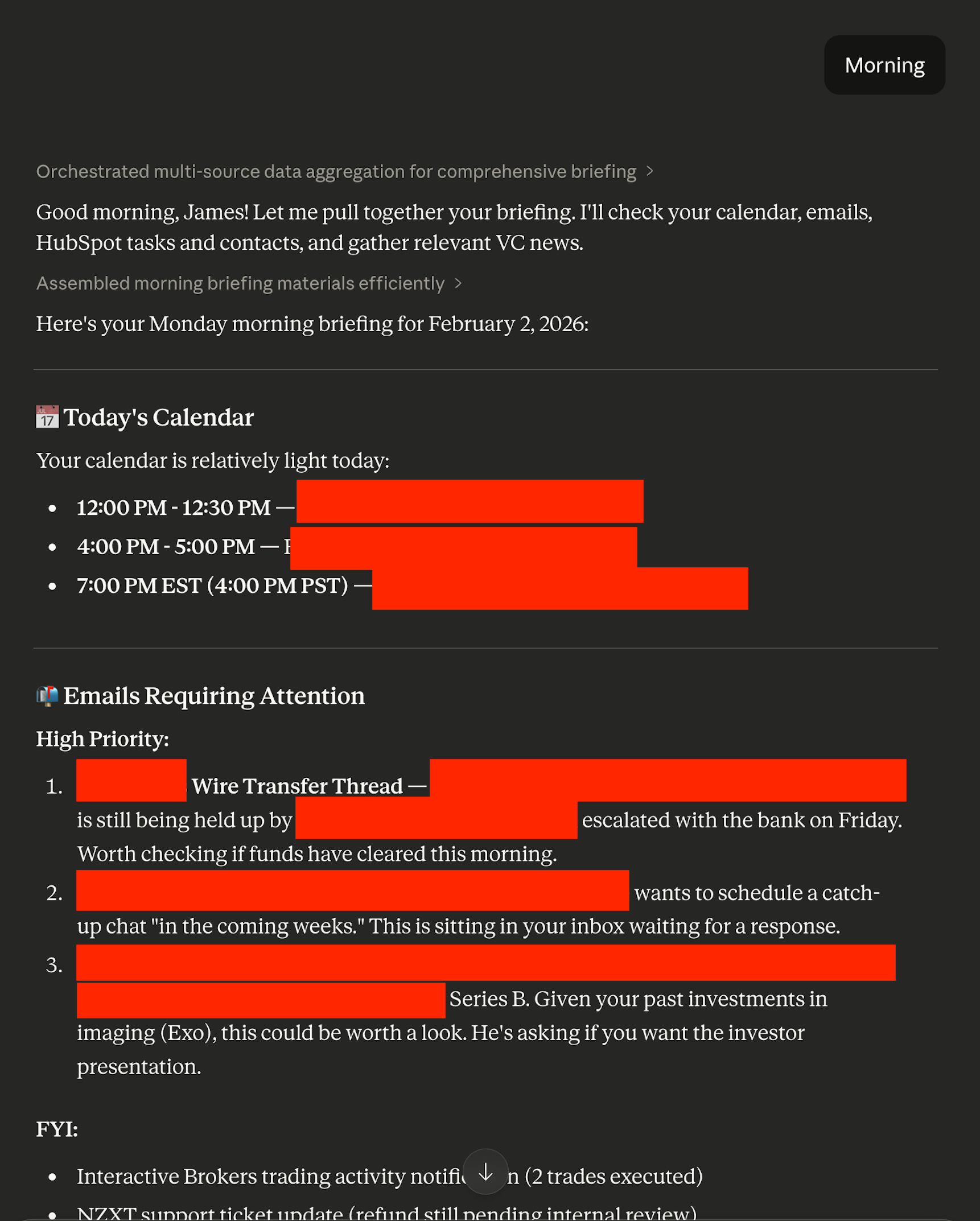
Before I had my automated morning briefing that delivers at 5:30am, I actually had a simpler Project-only version. The downside? I had to say “morning” in a chat to trigger it. That makes it less “agentic,” in a way, because it isn’t autonomously acting each morning. But it is still reaching out into your world to help you do useful tasks.
Just to note: given how many data sources it uses (email, calendar, HubSpot, to-do list, email newsletters, etc.), it actually takes a while. It’s fine if you want to just say “morning” and walk away, but if you were hoping to sit down with it immediately with a coffee... well, you’re going to need to come back in 5 minutes. I’m sure you can guess why I ended up turning it into a fully automated flow.
That being said, this version needs absolutely zero work in cron/launchd, scripts, and editing configuration files. It will also automatically ask you for context and improve as it goes (I’ll get into this mechanism later).
Here’s an example of its output when I used to use it.
The Right Tools
The second major element of good agents is tools. One of the defining characteristics of agents is the ability to act, and tools are usually the sensory organs (e.g., calendars, emails) and hands (writing to DevonThink or Notion, drafting emails, etc.).
Most major LLM platforms now have connectors/apps/integrations. Whatever the terminology, these are tools that the AI agent can utilize to do useful tasks in the world.
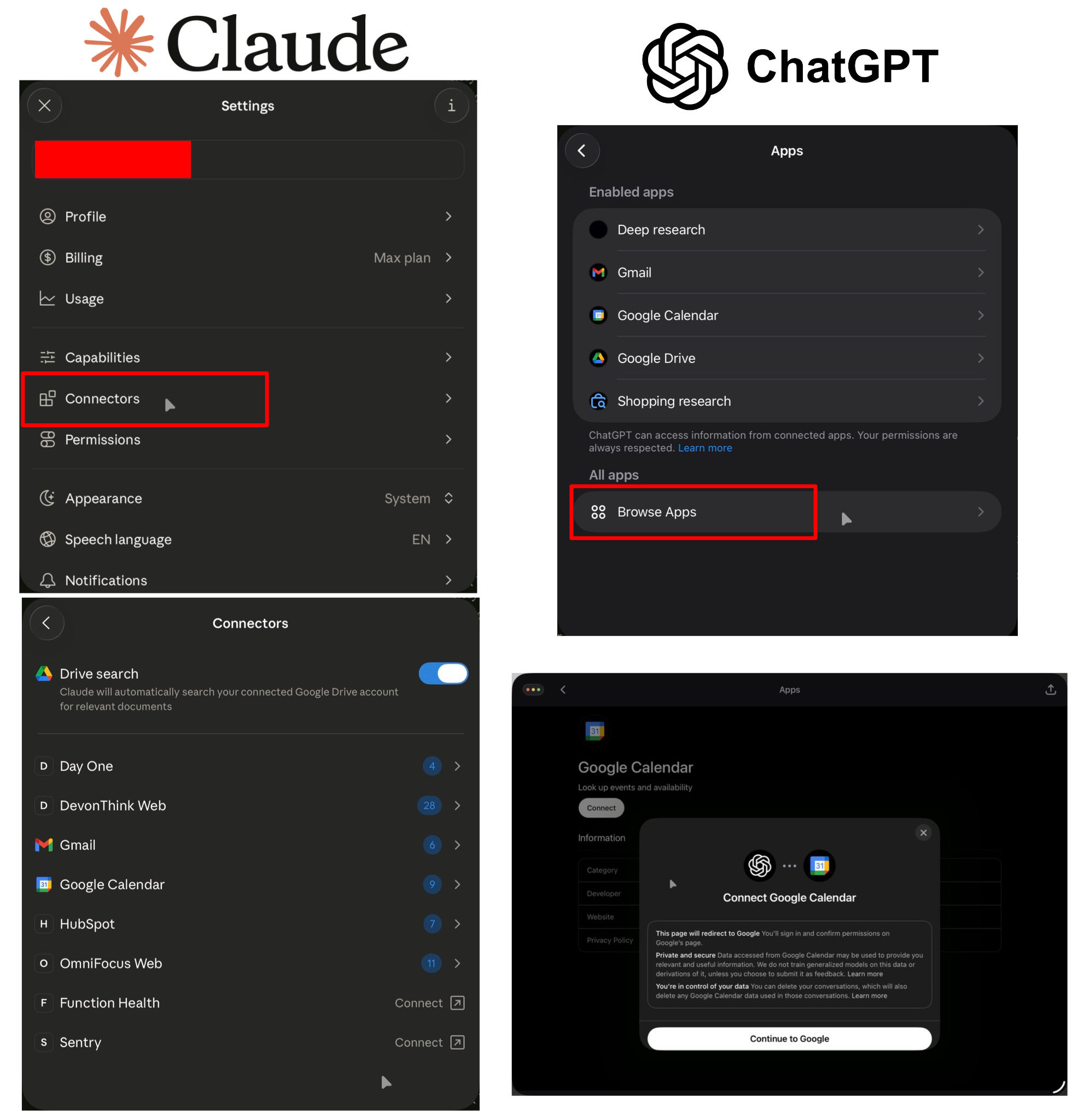
Obviously, nowadays I use Claude more, so it has both more connectors as well as my custom-built ones (”DevonThink Web,” “Omnifocus Web,” and even “Day One”—which, despite not having “web” in its name, is actually also one of my custom “web wrappers” around Day One’s MCP).
This is the major element that takes this briefing beyond a simple chat.
The Context/Instructions
As before, instructions/context (... which, in a way, are one and the same for the agent) are critical to both making the agent useful/intelligent and being able to utilize the right tools. Although all platforms technically have a way to let the AI know what tools are available for it, the agent actually utilizing the tools is inconsistent at best.
In this case, for a useful briefing agent, it must know:
What should it do? You need to have the right instructions and a trigger word (for which I made one word—”morning”—since I wanted a very quick, memorable trigger).
What is its context? If anyone has worked with assistants—on-site, remote, or even AI—one quickly learns that they get far better with time. Why? There are thousands of unwritten rules, preferences, and simple pieces of contextual information that a new assistant doesn’t have. We need to rectify that.
What tools should it use? Again, this is the case even with a human assistant.
To get you started, I have all of those handled here in this set of briefing instructions, which can actually be directly copied/pasted into Instructions.
The instructions on what to do—which you should customize over time—are here. I explicitly ask the agent to do a first-time setup to gather the right context. Finally, I have Gmail and Google Calendar as required tools. They’re the most common ones that everyone has, but if you have another service (e.g., Zoho), just replace it.
You must have the tools activated/authenticated—Gmail and Calendar—or this will do nothing.
Even news is pulled from your email—since most people have subscription newsletters (... you are, after all, reading this on Substack). Partly for safety and partly for curation, I avoid having the agent search the web for news.
Memory/Iteration
As mentioned, a key part of making good agents for yourself is feedback and iteration. That becomes part of the context for the agent. I showed you how to do so by actively changing the instructions (even using the agent itself) in the last section. For more “systematic” and larger changes, you should do exactly that.
But that’s not the only way.
Both Claude and ChatGPT (and many others) have the ability to store “memories” to intelligently bring in context from other conversations (or at least they purport to—I’m often not impressed by the “intelligently” part of bringing in context). More importantly, both have Project-level memories.
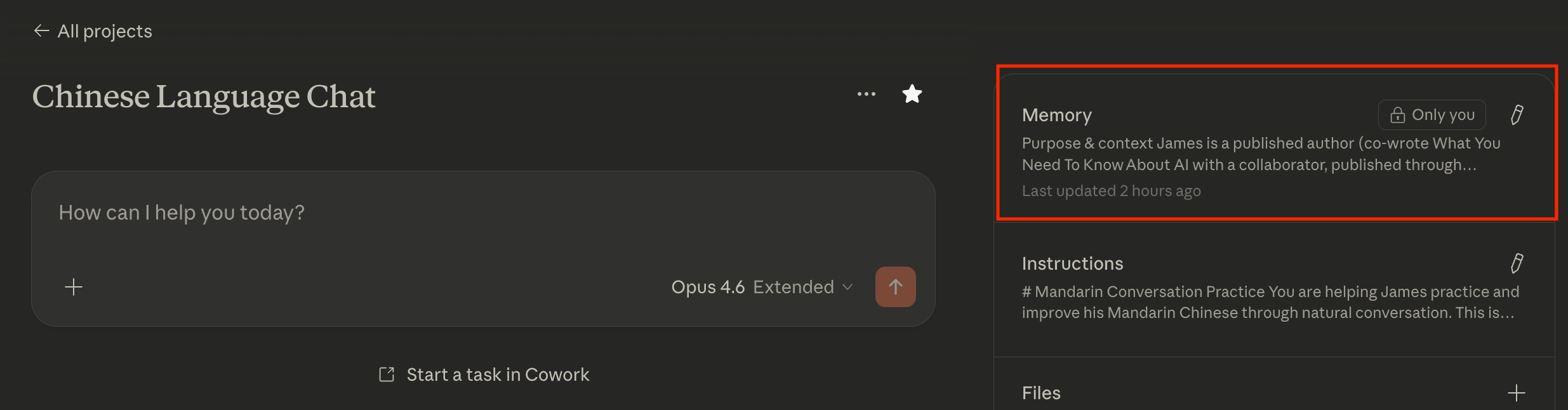
It will try to figure out what is relevant to store itself... but you can also tell it to store things.
Which is how the first-time setup works for this briefing—and is how you can keep giving it feedback, explicitly, to remember and improve itself over time. For example, you can tell it that certain types of events are not important and not to show them. You can tell it that you should prioritize a different set of todos. You can tell it that you want to see more domestic news and less international news. And it will store these preferences in memories.
Is This an Agent?
I’d be fairly comfortable saying yes, though I could understand pushback. The version of my briefing I outlined in the last piece is far more easily categorized as one without any “grey area.” Why? It runs autonomously, and it writes into my databases/journals/tools. Putting aside any technical definition, one can easily see that it acts.
This one? You need to kick it off. It just outputs the contents of the briefing into chat. Still, it reaches into active parts of your personal and/or business life with email and calendar and helps you prioritize. Although one might have minor quibbles, I think a task that many human personal assistants literally do every day can be considered “agentic.” And this one also gets better over time.
Meeting Summary Agent(s)
Ok, now we’re going to take a fairly significant jump in complexity—and power.
Once again, we have a repeat from the last article. This tended to be the one people gave me private feedback that they were most excited about. It’s unquestionably “agentic.” More important, it’s a huge amount of time savings. How long would it otherwise take to manually comb through eight hours of transcripts and thousands of documents?
Unfortunately, this does require something like Claude Code, ChatGPT Codex, or Gemini Antigravity. I’ll show how to do this in Claude Code, which makes this the only platform-specific example (as a note, I spent a long time trying to get this to work with Cowork... but it has sandboxing issues). But why does it require one of these?
It has a step that requires cloud transcription. You need an API key and a script.
For any non-trivial version of this, you will need to dispatch parallel subagents. Otherwise, your agent will take forever... or, more likely, run out of context and become stupid.
You need to write somewhere. The length of each “work product” and then the final product cannot simply be output in chat.
1) could potentially be overcome. 2) is sometimes done (in a black box fashion) in “normal” LLM chat, but mostly not. 3) cannot be overcome at all.
This is an important concept: to maintain “smart agents,” you often need to break up tasks.
Parallel Tasks and Context Windows
This is the last element I see as important in agents: parallelization/breaking into narrow tasks.
As a reminder, my original example had seventeen meetings. These were composed of eight hours of recording, over a thousand pages of PDFs, and a bunch of screenshots of my calendar/schedule showing who I was meeting with and when.
All of the recordings were transcribed by Deepgram.
Sort my folder of entirely unsorted/not-descriptively-named recordings, transcripts, and calendar screenshots into usefully named folders for each meeting (I didn’t bother to pre-sort them myself).
Using context from the PDFs and the schedule and asking me questions (... in this case, there was enough info to ask zero questions), Claude cleaned up all of the transcripts with names and fixed things that Deepgram obviously “misheard” (e.g., “Mall” to “Vol”/volatility).
Summarize each transcript and set of PDFs into key takeaways and evaluation (based on my pre-written instructions/criteria).
Summarize all of those summaries into a full, compiled report of all meetings.
This is far, far too much to fit inside the context window of a single agent. Even if it could, I would not recommend it due to how fast current LLMs degrade with longer context. You will get very, very poor results if you dispatch agents to do everything versus have fresh ones for narrow tasks.
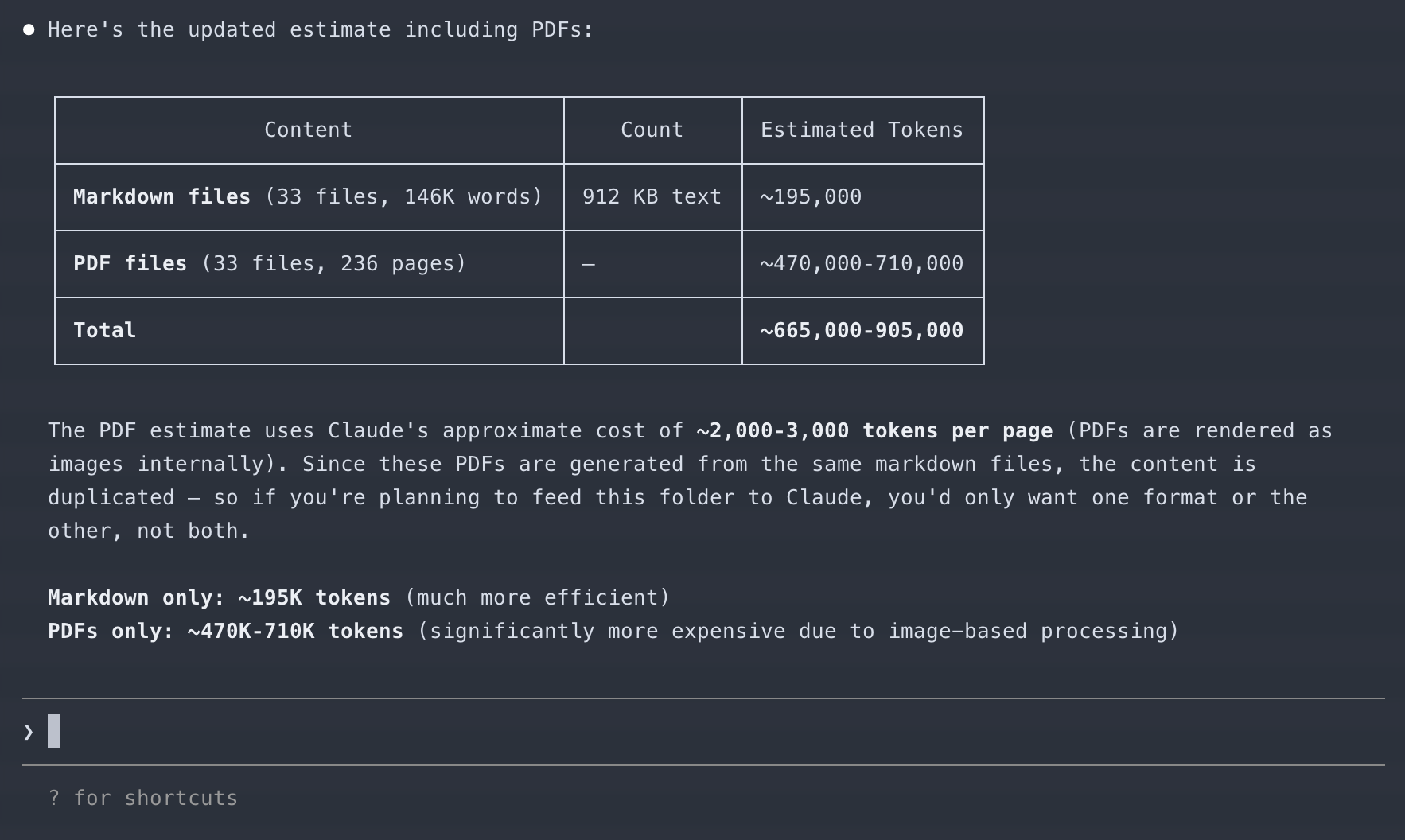
As such, each task should be done by a different agent.
The transcriptions can all be managed by scripts/an independent subagent
The sorting process of meeting materials into relevantly named folders can be done by a separate subagent
Each individual clean-up process for the transcript can be managed by subagents for each meeting folder (so, 17 in parallel)
The summary can be done by another set of fresh subagents (17 in parallel) by reading each transcript
The overall compiled summary of all meetings can be done by a final subagent
In total, we have a minimum of 1 + 1 + 17 + 17 + 1 + 1 = 38 subagents (and the “main chat” that we interact with). This is possible to do by just opening 38 chats and constantly dragging and dropping the inputs and outputs of each chat into each other. After all, “subagents” are just fresh LLM chats/agents. Obviously, I don’t suggest doing it that way.
The more analytical among you might have also noticed that some of these files get read repeatedly. For example, a transcript will be read once by the sorting agent, once by a cleanup agent, and once by a summary agent. It may also be referenced by the overall summary agent for more info. As such, the same input tokens will be loaded in three or four times.
Wasteful? Absolutely not. The context window issue of running out of context or simply having the agent get dumber with long, unfocused context makes “rereading” a fairly cheap cost for better results.
Given all of this, I think it’s clear why I don’t think it’s viable to do this outside of Claude Code or Claude Cowork (which would work if I didn’t use an external service/web call like Deepgram). You need parallel agents and a long, multi-step workflow. I did not, after all, sit around and babysit each step. I simply provided the instructions and said, “Go.”
Doing This Yourself
Bad news. You need Claude Code and a subscription (though other coding agents could do it too).
Good news: I took care of basically everything else, including making it so you don’t need to install or configure anything beyond Claude Code itself. You don’t even need a text editor! (Ah, I can still hear people asking me, “Is that like Microsoft Word?”).
Obviously, my original workflow has a ton of my specific context, required analyses, personal preferences, common mistranscriptions, etc. I genericized it here in this git repo.
If you open Claude Code, it will walk you through everything you need.
I don’t love that this trains non-technical users to blindly hit “yes” on permission prompts, because unless you run claude --dangerously-skip-permissions on the command line, you’ll be doing that a lot. Unfortunately, I found that’s essentially what people do, so I find you might as well use it... You are trusting that I wrote this in a way that doesn’t do stupid things either way.
On the desktop app, even choosing “auto accept edits” as the permission in Claude Code will have it still asking you things, but most users who’ve tested it just blindly hit enter there too.
Prerequisites:
Install Claude Code. OR, just use the Claude Code Desktop
This is a good tutorial from Daniel Nest for Claude Code in Cursor. Alternatively, use Claude Desktop and go to Code (you may need to follow instructions to install prerequisites, etc.).

Then:
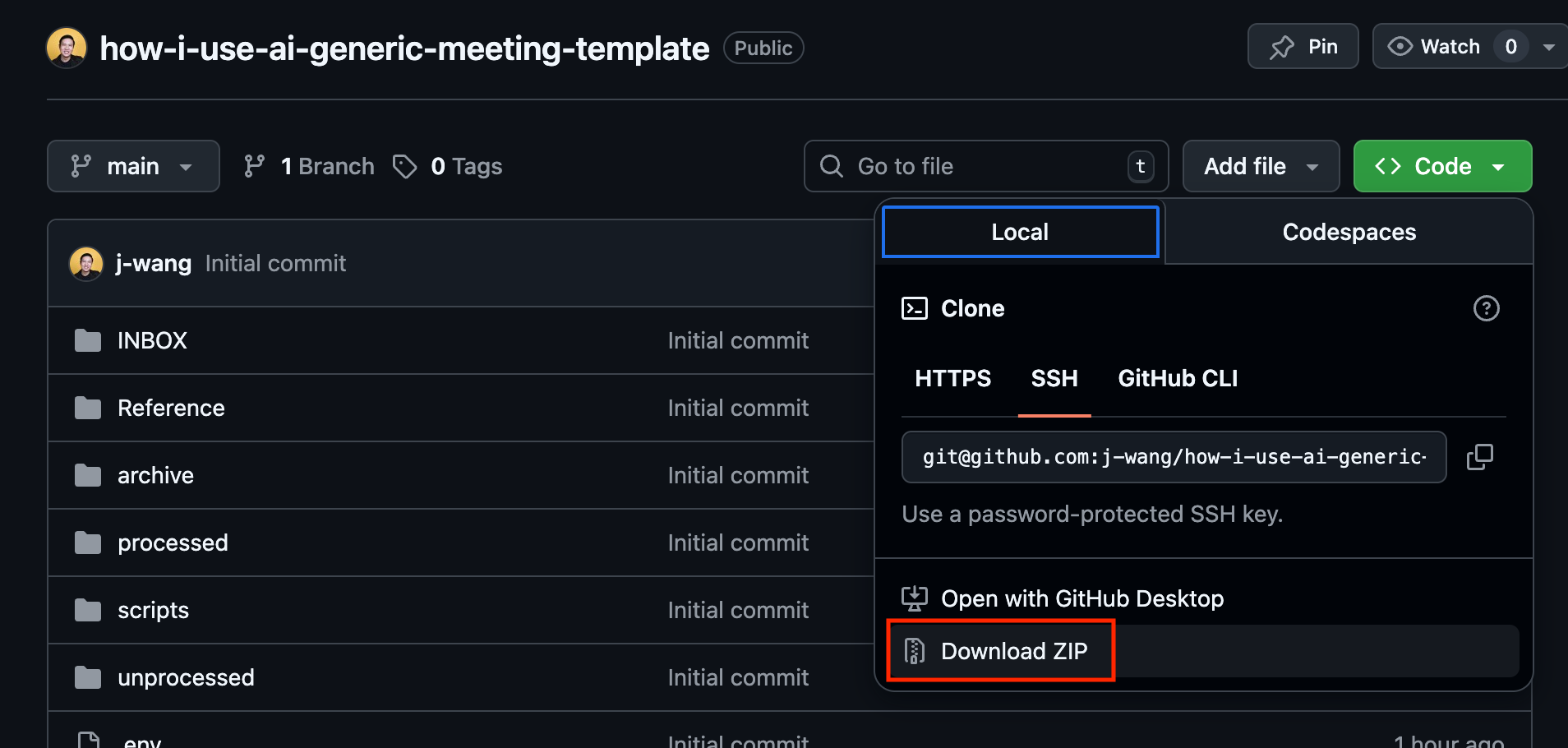
Download from my git repo here.
Go to the directory in
Terminal(Mac) orPowershell(Windows) and run:claude --dangerously-skip-permissions.OR, if you’re using the desktop app, select the folder you put my repo into (and unzipped, if you downloaded it as one) and select main.
Put your files (all of them—just freely dump in MP3s, screenshots from your calendar, PDFs from meetings, etc.) in the INBOX/ folder.
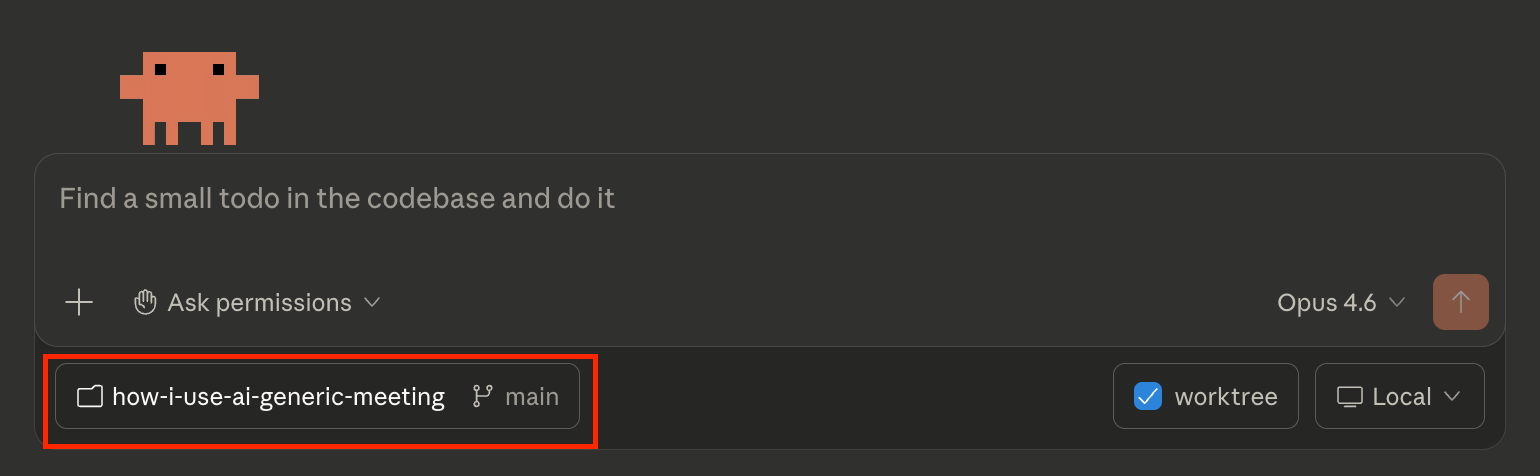
From there, simply ask it to read CLAUDE.md—though, even if you said something else, it almost certainly would anyway. Also, if you happened to be using Codex or Antigravity... you could just tell it to read CLAUDE.md anyway, and it should basically all work too—I promise they won’t get offended.
In the following, I show screenshots from Claude Code on desktop (it’s actually my first time using it there!) using a random subset of the files I had from the conference I mentioned in the prior article.
(Note: If you don’t have a Python environment that functions, Claude Code will help you install it on your specific system. It’ll be able to walk you through it better than I can.)
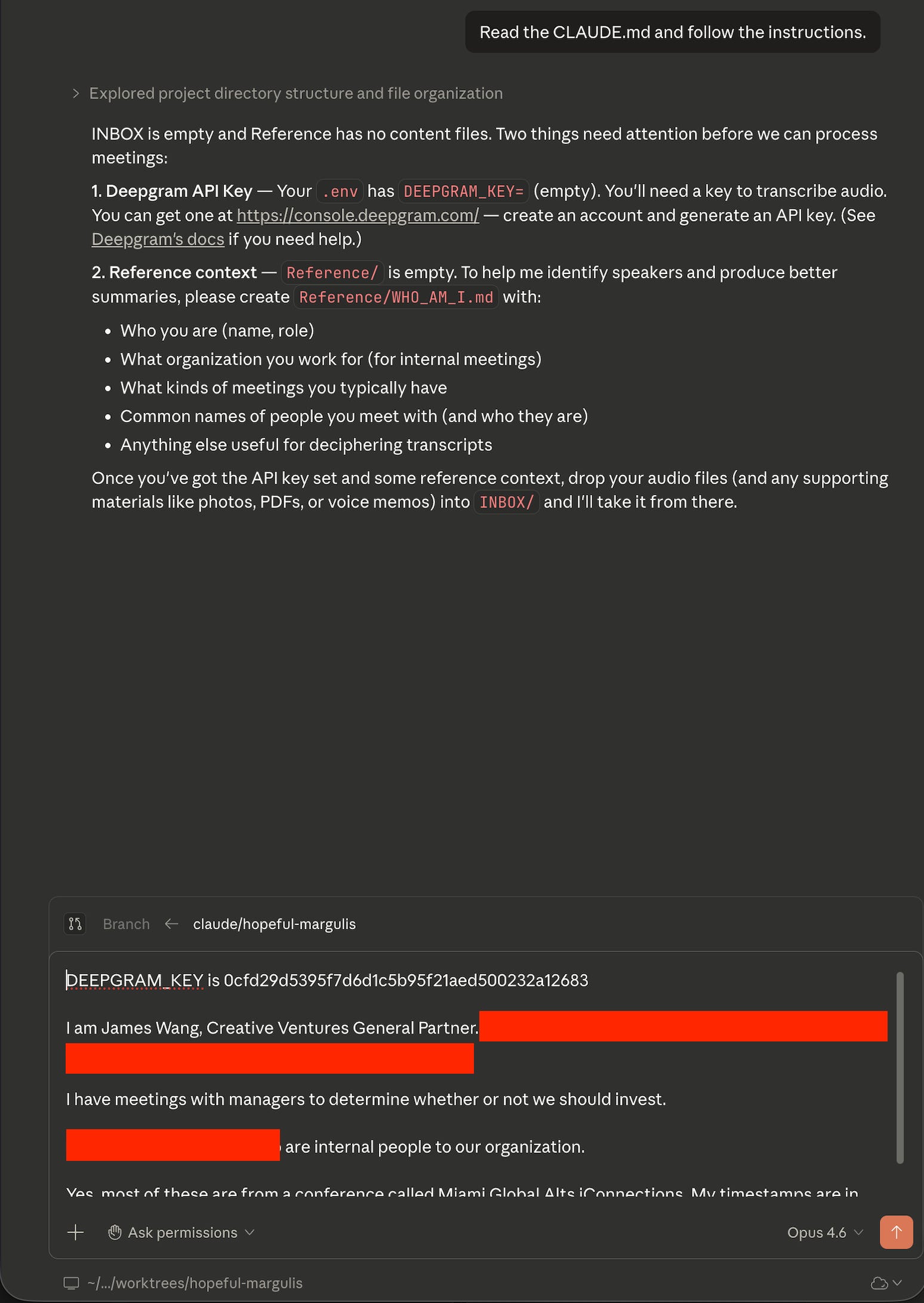
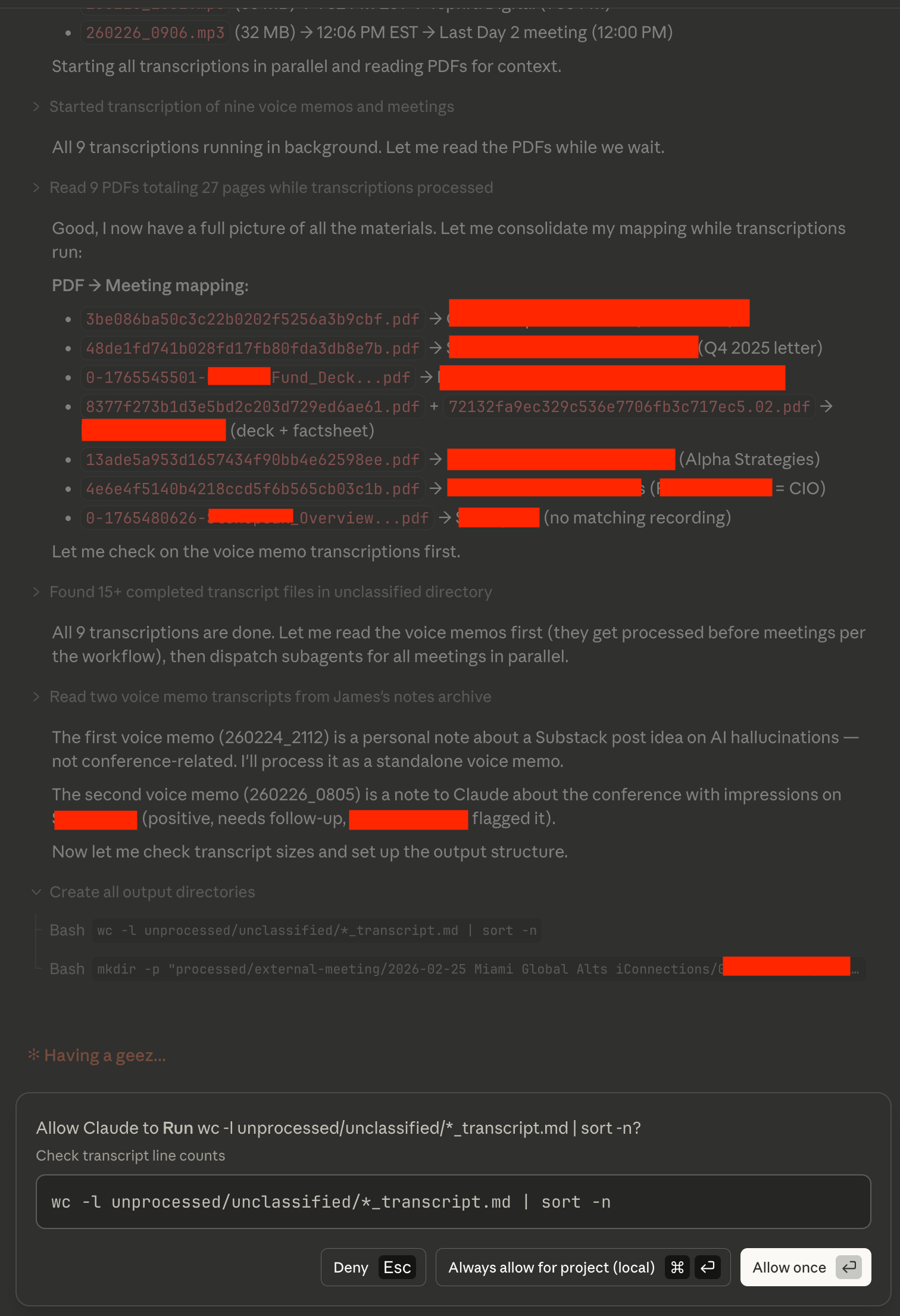
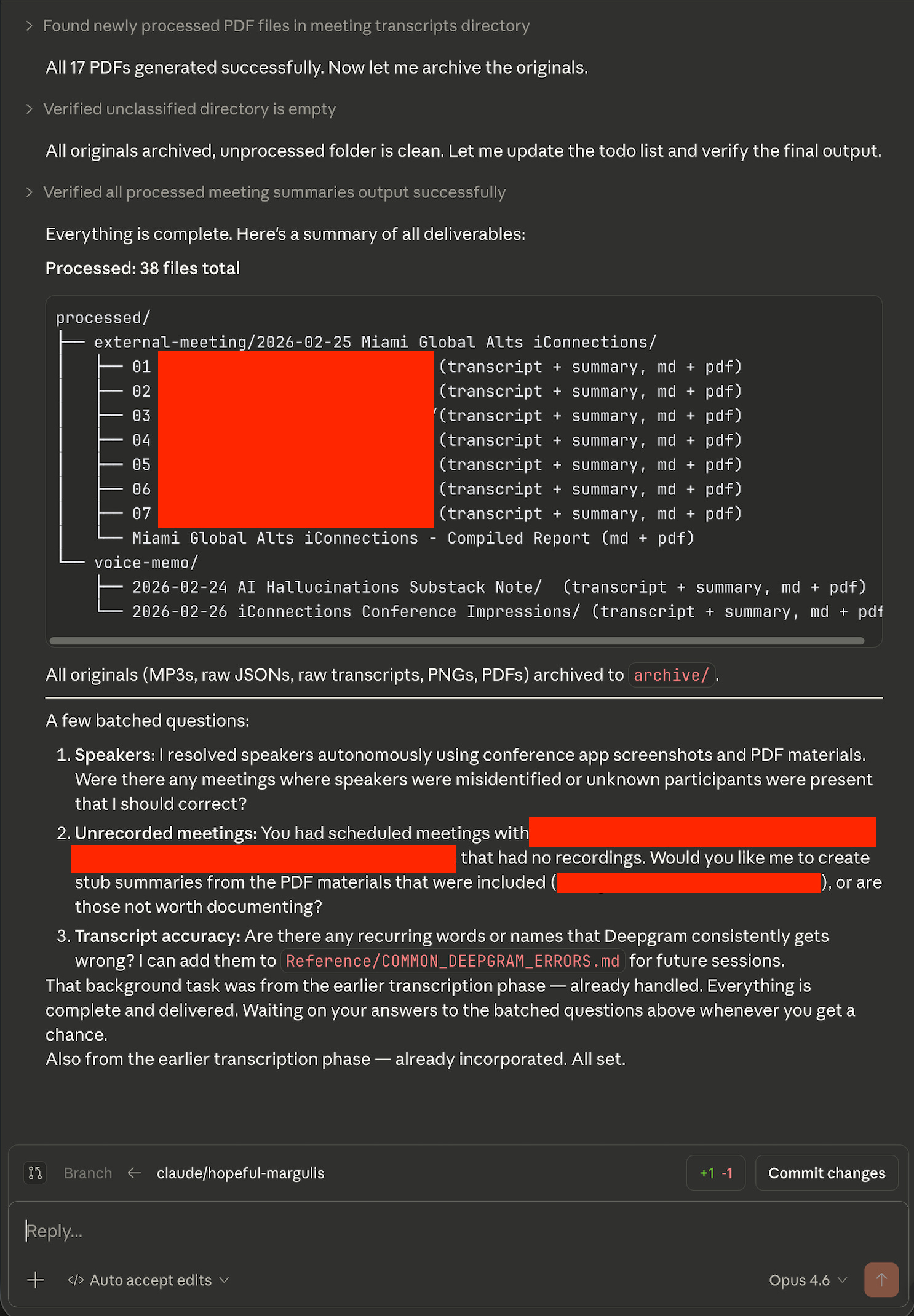
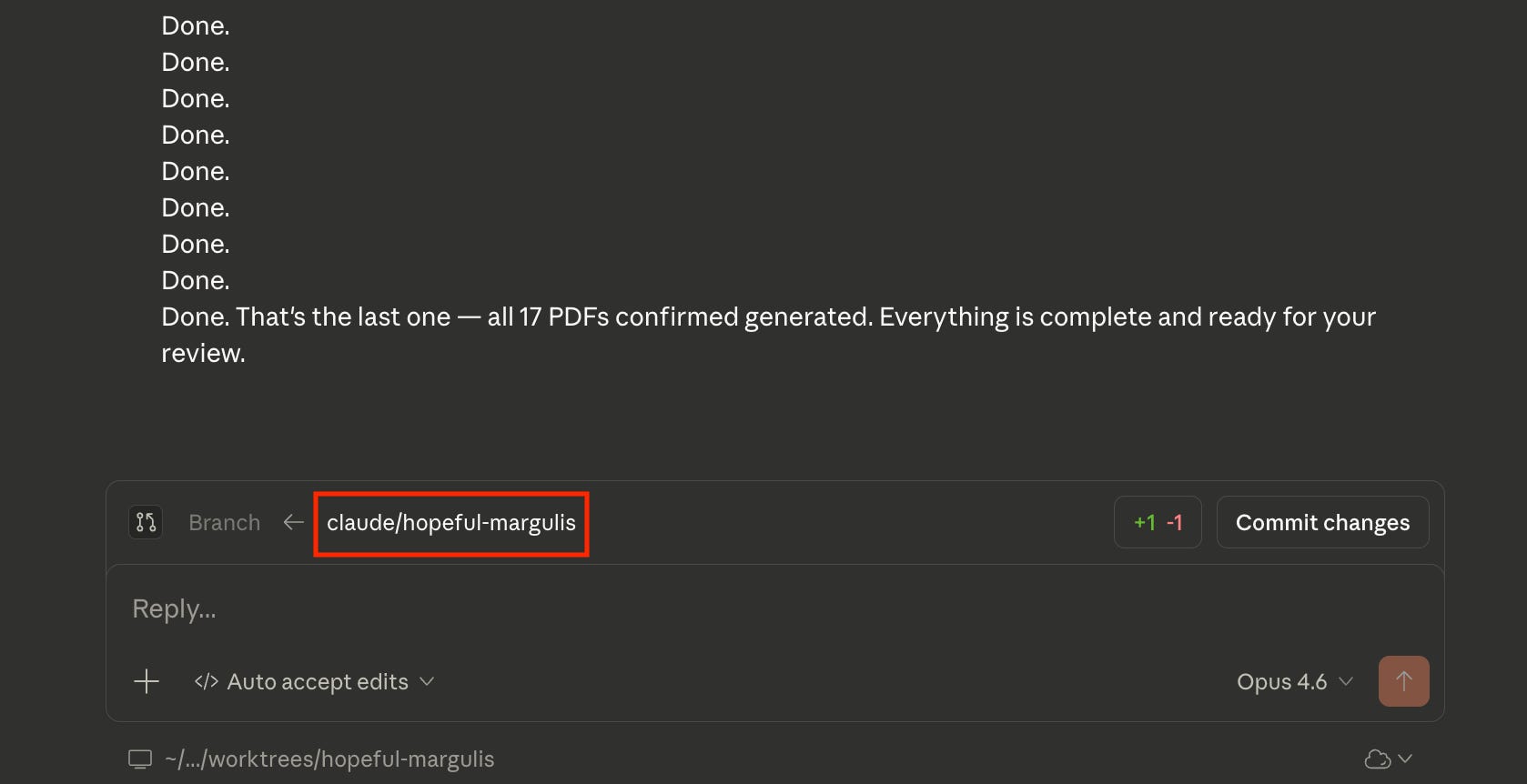
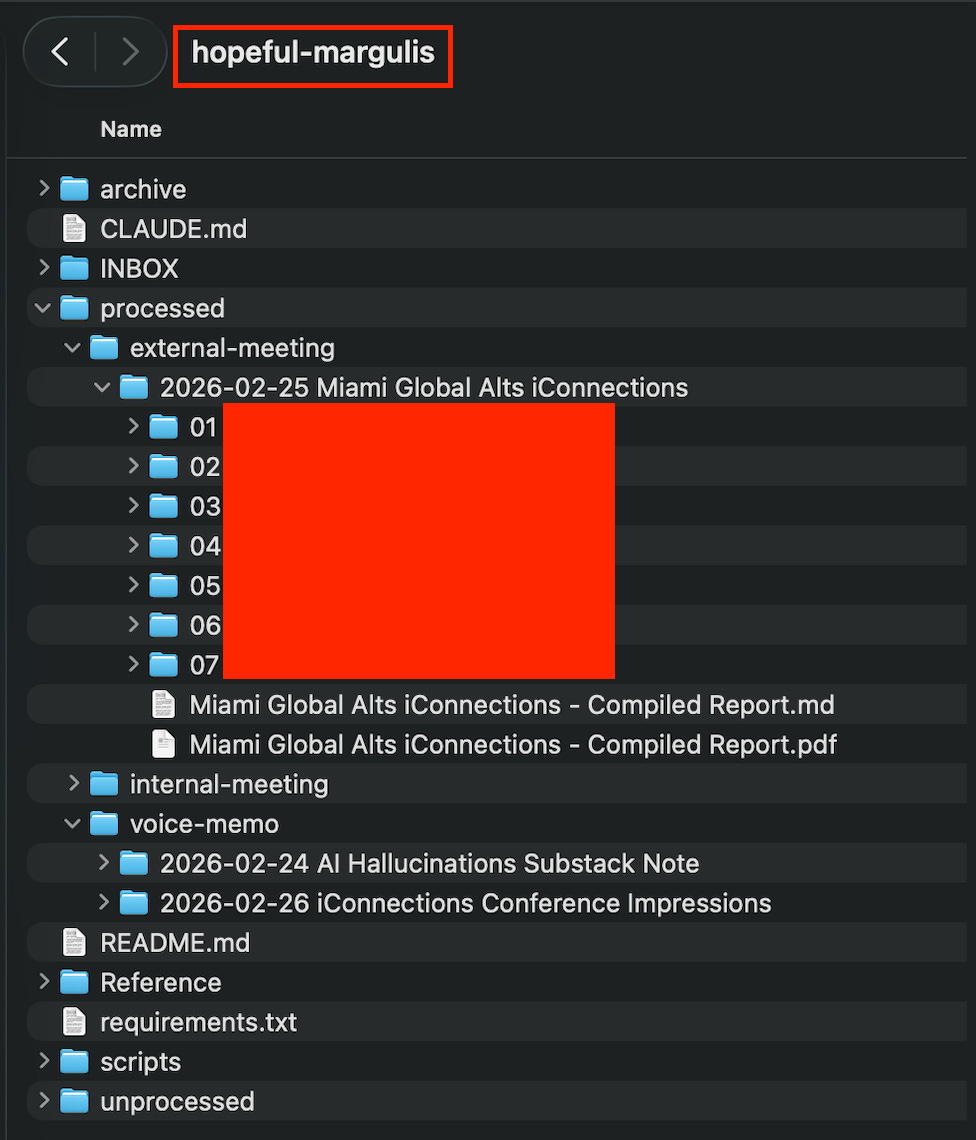
As you can see, this kind of agent can do a lot and is very powerful. You should go read CLAUDE.md in the directory (or just click on it in GitHub) to see how you should set something like this up yourself.
Is This an Agent?
Definitely. It requires a fair amount of planning, context, and outputs.
The point of this last one is to finally have all of the elements:
Instructions/Context
Tool Use
Planning + Parallel Workstreams
This applies to almost everything for creating useful agents.
From Here
If you take nothing else from this piece, take this: the barrier to useful AI agents is not technical skill. It’s clarity of thought.
Every example I walked through—from a language-learning chatbot to a 38-subagent meeting pipeline—boils down to the same three things. First, clear and detailed instructions that encode what you actually want (not a vague “help me with X”). Second, the right tools are connected so the agent can reach into your actual life—email, calendar, documents—rather than just talk at you. Finally, third—less obvious if you don’t know how LLMs work under the hood—breaking work into focused chunks so the agent stays sharp rather than drowning in context.
None of that requires a command line. The first two examples don’t even require Claude Code/Cowork. They require you to sit down, think about what you actually want an assistant to do, and write it down in enough detail that a (very fast, very literal) new hire could follow it. If you’ve ever onboarded someone, you’ve done harder work than this.
I did originally say that productivity pieces like this aren’t what I do. That being said, it seems everyone’s overwhelming feedback is that they do find it very helpful. As such, I will indeed do more of these—not every post, but every now and then.
If nothing else, I owe you all a piece on safety and sandboxing, because “don’t be reckless” deserves more than a section header.
Thanks for reading!
I hope you enjoyed this article. If you’d like to learn more about AI’s past, present, and future in an easy-to-understand way, I’ve published a book titled What You Need to Know About AI.
You can order the book on Amazon, Barnes & Noble, Bookshop, or pick up a copy in-person at a local bookstore. I’ll be at the Barnes & Noble in Walnut Creek, CA this Sunday 3/15 signing books in person if you’re around and want to say hi!

Please tell me all about your OmniFocus web custom connector for Claude
This is great, but as a neophyte AI Agent builder I still don't understand all the security concerns. I presume you are giving Claude access to a lot of confidential data through this agent, how do you ensure it remains confidential?